OS worlds: Difference between revisions
No edit summary |
|||
| (8 intermediate revisions by the same user not shown) | |||
| Line 26: | Line 26: | ||
=== /JRTOS === | === /JRTOS === | ||
=== /Hellow173/os === | |||
[https://ourworldoftext.com/Hello173/os /Hello173/os] was created on October 17th, 2025, shortly after [[Hello]] returned from a long hiatus. | |||
It enabled users to interact with a working (albeit simple) operating system using [[comu]] links. Functions included typing into a notepad and creating documents/folders. | |||
On October 19th, 2025, Hello added an MP4 player that allowed users to record the computer's screen.<gallery mode="packed" heights="300"> | |||
File:Hello os 1.gif | |||
File:Hello os 2.gif | |||
File:Hello os recording 1.gif|Playing an MP4 file | |||
File:Hello os recording 3.gif|Playing a recording of the OS' shutdown animation | |||
File:Hello os recording 2.gif|Recording the screen | |||
</gallery> | |||
[[Category:Worlds]] | [[Category:Worlds]] | ||
[[Category:Compilation pages]] | [[Category:Compilation pages]] | ||
Latest revision as of 01:42, 23 October 2025
An OS world is an OWOT world intended to mimic an operating system found on one's computer.
Community Reception
"I hate those fake OS worlds so fucking much it’s just a bunch of links in a rectangle.
Mass produced low effort SLOP and then they act like it’s a masterpiece they toiled away for years making like bfr if I had a little sister she could take like 10 mins making a better version."
- D9eoead
List of OS Worlds
OutcastOS
/computer.yes
Created by Meimei.
/computer.yes was updated throughout 2022 and was even made WOTD at one point. Much of its paths have been left unfinished due to burnout.


/computer.maybe
/JRTOS
/Hellow173/os
/Hello173/os was created on October 17th, 2025, shortly after Hello returned from a long hiatus.
It enabled users to interact with a working (albeit simple) operating system using comu links. Functions included typing into a notepad and creating documents/folders.
On October 19th, 2025, Hello added an MP4 player that allowed users to record the computer's screen.
-

-

-
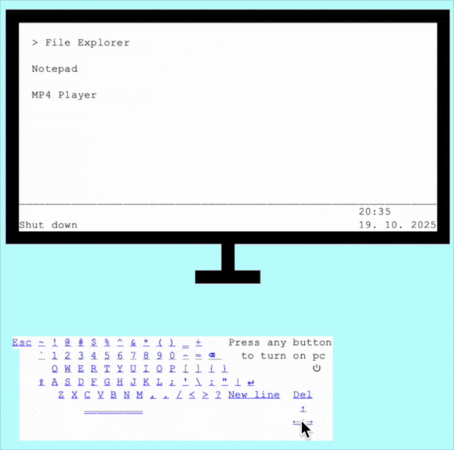 Playing an MP4 file
 -
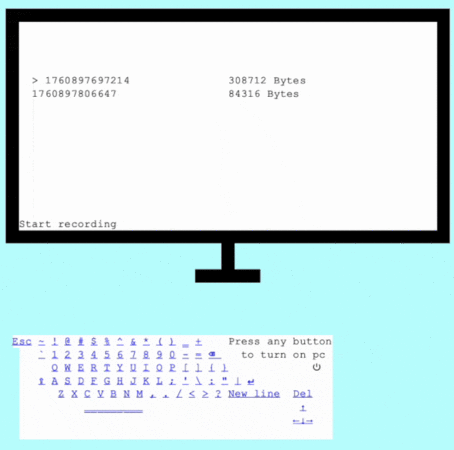 Playing a recording of the OS' shutdown animation
 -
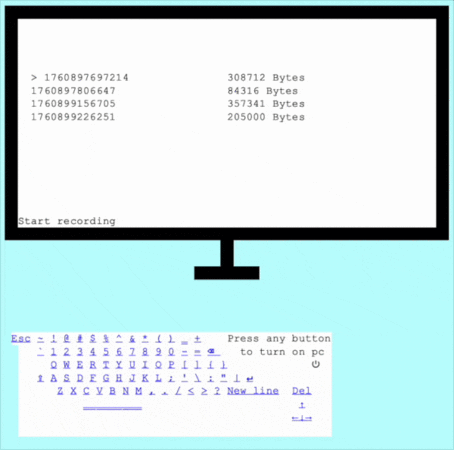 Recording the screen


