Symbols for Legacy Computing: Difference between revisions
| Line 21: | Line 21: | ||
=== /bcolor === | === /bcolor === | ||
Though not explicitly related to SLC, the ability to customize background colors for individual cells greatly | Though not explicitly related to SLC, the ability to customize background colors for individual cells greatly expands the scope of SLC art. | ||
Namely, customizable cell backgrounds allow for two diagonal planes touch within a single text cell, which can now contain two separate colors(''the color of the text itself and the color of the background''). This means that SLC's pre-existing ability to make smoother and more complex shape can now be leveraged for 3D art. | |||
The test world [https://ourworldoftext.com/bcolor /bcolor] showcases a variety of 3D creations that can be made by combining the two features. | The test world [https://ourworldoftext.com/bcolor /bcolor] showcases a variety of 3D creations that can be made by combining the two features. | ||
This update also | This update also allows for increasingly photorealistic image pasters. | ||
[[File:Bcolor.jpg|center|thumb|748x748px]] | [[File:Bcolor.jpg|center|thumb|748x748px]] | ||
| Line 32: | Line 34: | ||
=== How to Make a SLC Cube === | === How to Make a SLC Cube === | ||
A standard SLC cube is six characters in width and four in height. The second lowest row(''or second highest, if you're making an upside down cube'') is consisted entirely of the default block "█," while all other layers are made from SLC slope characters. The row directly above(''or below'') it makes use of customized cell backgrounds to facilitate the intersection of three different colored planes. | |||
SLC cubes have three faces, each with their own color. Most artists decorate their cubes with different shades of the same color in order to represent lighting. | SLC cubes have three faces, each with their own color. Most artists decorate their cubes with different shades of the same color in order to represent lighting. | ||
| Line 49: | Line 51: | ||
=== How to Make an Unicode Cube === | === How to Make an Unicode Cube === | ||
[[File:Unicode cube tutorial.png|thumb|Anatomy of an unicode cube]] | [[File:Unicode cube tutorial.png|thumb|Anatomy of an unicode cube]] | ||
The second type of OWOT cubes face the screen at a more direct angle. They actually contain no SLC characters whatsoever, but are still included here due to their resemblance to cubes that do | The second type of OWOT cubes face the screen at a more direct angle. They actually contain no SLC characters whatsoever, but are still included here due to their resemblance to cubes that do use SLC. | ||
They are created using the default block character "█" along with the triangular unicodes "◢ ◣ ◤ ◥." Critically, the triangles must have the "'''''bold'''''" text decoration, which can be accessed using Ctrl + Q. | They are created using the default block character "█" along with the triangular unicodes "◢ ◣ ◤ ◥." Critically, the triangles must have the "'''''bold'''''" text decoration, which can be accessed using Ctrl + Q. | ||
Standard unicode cubes are smaller than SLC cubes at five characters wide and three characters tall, but like their SLC counterparts they have three colors for each of their faces. | |||
It is important to note that both unicode and SLC cubes can be expanded to any size you want. | |||
<gallery mode="packed" heights="150" caption="SLC Cubes(Top) and Unicode Cubes(Bottom)"> | <gallery mode="packed" heights="150" caption="SLC Cubes(Top) and Unicode Cubes(Bottom)"> | ||
| Line 63: | Line 67: | ||
=== AndreiXYZ === | === AndreiXYZ === | ||
[[File:Owot christmas.png|thumb|384x384px|SLC art by Meimei, which was the inspiration for Andrei's Christmas 2023 art]] | |||
[[AndreiXYZ]]<gallery mode="packed" heights="200"> | |||
File:Andrei font.png | |||
File:Andrei christmas.png|Inspired by [[Meimei|Meimei's]] Christmas 2022 art | |||
</gallery> | |||
=== JRT === | === JRT === | ||
[[JRT]] is quite possibly the most prolific SLC artist in OWOT.<gallery mode="packed" heights="150"> | |||
File:Soylent.png | |||
File:Jrt penrose triangle.png | |||
File:Jrt organ.png | |||
File:Jrt speed of light city.jpg|JRT's ''Speed of Light City'' makes heavy use of SLC characters | |||
</gallery> | |||
=== Jan soweli Asike === | === Jan soweli Asike === | ||
[[Jan soweli Asike]] learned SLC from making a drawing of Mewo from ''Omori''. Its most famous drawing is a 3D Minecraft fox that was maintained near spawn for months.<gallery mode="packed" heights="170"> | |||
File:Mcfox.png | |||
File:Slc cat.png | |||
File:Wheel of fortune.png | |||
File:Fox elevator.png | |||
</gallery> | |||
=== Place_holdrr === | === Place_holdrr === | ||
[[Placeholder|Place_holdrr]] is an artist of a similar skill level to JRT, but who destroyed most of their reputation during the LaserLime incident. Since then they have been working on rebuilding trust within the community. | |||
=== Polonez === | === Polonez === | ||
[[Polonez]] is a former troll who has recently decorated [[Lime.owot|Lime.owot's]] radio with a variety of high quality SLC art. | |||
[[Category:Documentation]] | [[Category:Documentation]] | ||
[[Category:Tutorials]] | [[Category:Tutorials]] | ||
[[Category:Worlds]] | [[Category:Worlds]] | ||
Revision as of 15:10, 28 May 2025
Symbols for Legacy Computing, commonly known as SLC, are a set of symbols that were added to OWOT on October 7th 2022 for SLC and November 7th 2022 for SLC2.
Among other things, SLC characters can be used to make smoother shapes, or create the illusion of 3D objects when used in conjunction with the ability to change cell background colors. They have also been a valuable asset for scripters trying to make photorealistic image pasters.
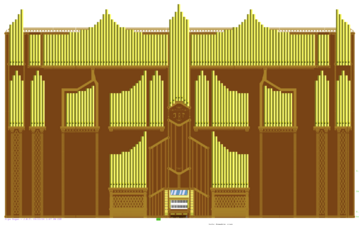
Artists such as JRT, AndreiXYZ, Jan Soweli Asike, Place_holdrr and Polonez have taken great advantage of SLC ever since its introduction to OWOT
SLC Test Worlds
/slc

/slc was created for users to test out the first set of SLC characters, which were implemented on October 7th, 2022. Symbols introduced in the update allowed artists to create smooth shapes that can be colored to create simplistic drawings.

/slc2

A much larger set of SLC characters were introduced on November 7th, 2022, and along with it a second test world named /slc2. SLC 2 introduced a variety of box drawing characters that allowed users to effectively replicated pixel art within OWOT.

/bcolor
Though not explicitly related to SLC, the ability to customize background colors for individual cells greatly expands the scope of SLC art.
Namely, customizable cell backgrounds allow for two diagonal planes touch within a single text cell, which can now contain two separate colors(the color of the text itself and the color of the background). This means that SLC's pre-existing ability to make smoother and more complex shape can now be leveraged for 3D art.
The test world /bcolor showcases a variety of 3D creations that can be made by combining the two features.
This update also allows for increasingly photorealistic image pasters.

How to Make SLC Art
[i'm not an expert on this so someone else fill this in]
How to Make a SLC Cube
A standard SLC cube is six characters in width and four in height. The second lowest row(or second highest, if you're making an upside down cube) is consisted entirely of the default block "█," while all other layers are made from SLC slope characters. The row directly above(or below) it makes use of customized cell backgrounds to facilitate the intersection of three different colored planes.
SLC cubes have three faces, each with their own color. Most artists decorate their cubes with different shades of the same color in order to represent lighting.
You can obtain the necessary symbols by copying them from a pre-existing cube using Ctrl + A, and then changing the colors to your liking. There is also a handy SLC toolbox at the top of /slc_font.
The ability to change cell colors allows two colors to exist within any given cell, so use this feature whenever two cubes of different colors touch at their diagonal edges.


How to Make an Unicode Cube

The second type of OWOT cubes face the screen at a more direct angle. They actually contain no SLC characters whatsoever, but are still included here due to their resemblance to cubes that do use SLC.
They are created using the default block character "█" along with the triangular unicodes "◢ ◣ ◤ ◥." Critically, the triangles must have the "bold" text decoration, which can be accessed using Ctrl + Q.
Standard unicode cubes are smaller than SLC cubes at five characters wide and three characters tall, but like their SLC counterparts they have three colors for each of their faces.
It is important to note that both unicode and SLC cubes can be expanded to any size you want.
- SLC Cubes(Top) and Unicode Cubes(Bottom)
-

-


SLC Art Gallery
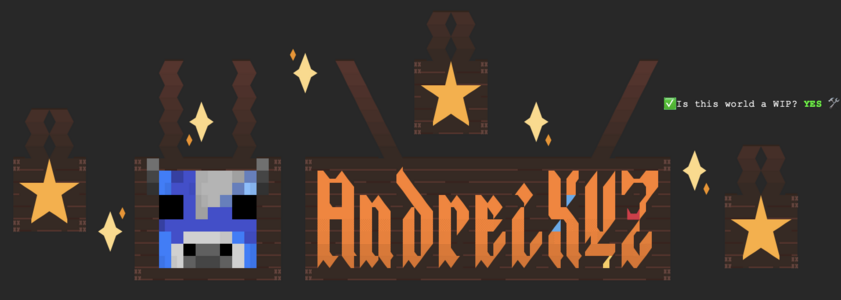
AndreiXYZ

-
-
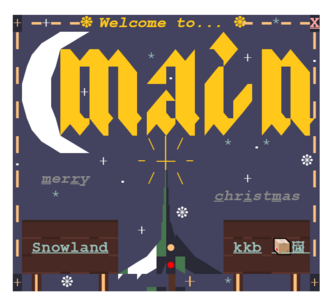 Inspired by Meimei's Christmas 2022 art


JRT
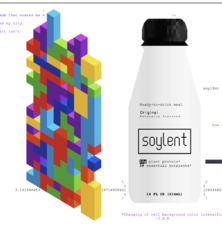
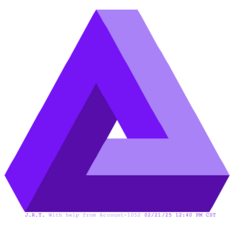
JRT is quite possibly the most prolific SLC artist in OWOT.
-
-
-
-
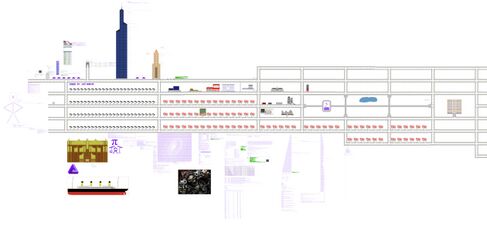 JRT's Speed of Light City makes heavy use of SLC characters


Jan soweli Asike
Jan soweli Asike learned SLC from making a drawing of Mewo from Omori. Its most famous drawing is a 3D Minecraft fox that was maintained near spawn for months.


Place_holdrr
Place_holdrr is an artist of a similar skill level to JRT, but who destroyed most of their reputation during the LaserLime incident. Since then they have been working on rebuilding trust within the community.
Polonez
Polonez is a former troll who has recently decorated Lime.owot's radio with a variety of high quality SLC art.