Image pasters: Difference between revisions
| Line 32: | Line 32: | ||
File:Octant paste 4.png | File:Octant paste 4.png | ||
</gallery> | </gallery> | ||
=== Quadrants === | |||
=== Emoji Pasters === | === Emoji Pasters === | ||
Revision as of 19:37, 1 August 2025

*See Displaying Images in OWOT for instances of full resolution images in OWOT
An image paster is an automated tool to paste images onto the OWOT canvas. The usage of image pasters are usually stigmatized by many OWOT users.
-
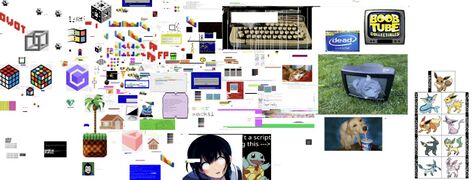 Photorealistic image pastes from /bcolor that make use of the ability to change cell background colors.
 -
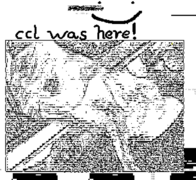 Image paster by CCL(Colors disabled)


Types of Image Pasters
Braille
tbd
Full Block
Using the full block "█" it is possible to render one color in each text cell. Two cells can then be combined to form a square pixel.

Half Block
By using the half block symbols "▀" and "▄," it is possible to divide each text cell into two pixels of different colors, with one color being the half block itself and the other being the cell background color.


Octant
Using the octant characters, it is possible to divide each text cell into eight pixels, though only two colors can be present in any given cell. Octants allow for higher resolution images than half blocks, though the two color limitation means that some amount of distortion will be visible at smaller scales.


Quadrants
Emoji Pasters
The only pasting method that does not require text colors.
Emoji-based image pasters are more common in YWOT, where they are the only way to render multi-colored images on the canvas.
Other Methods
tbd
